
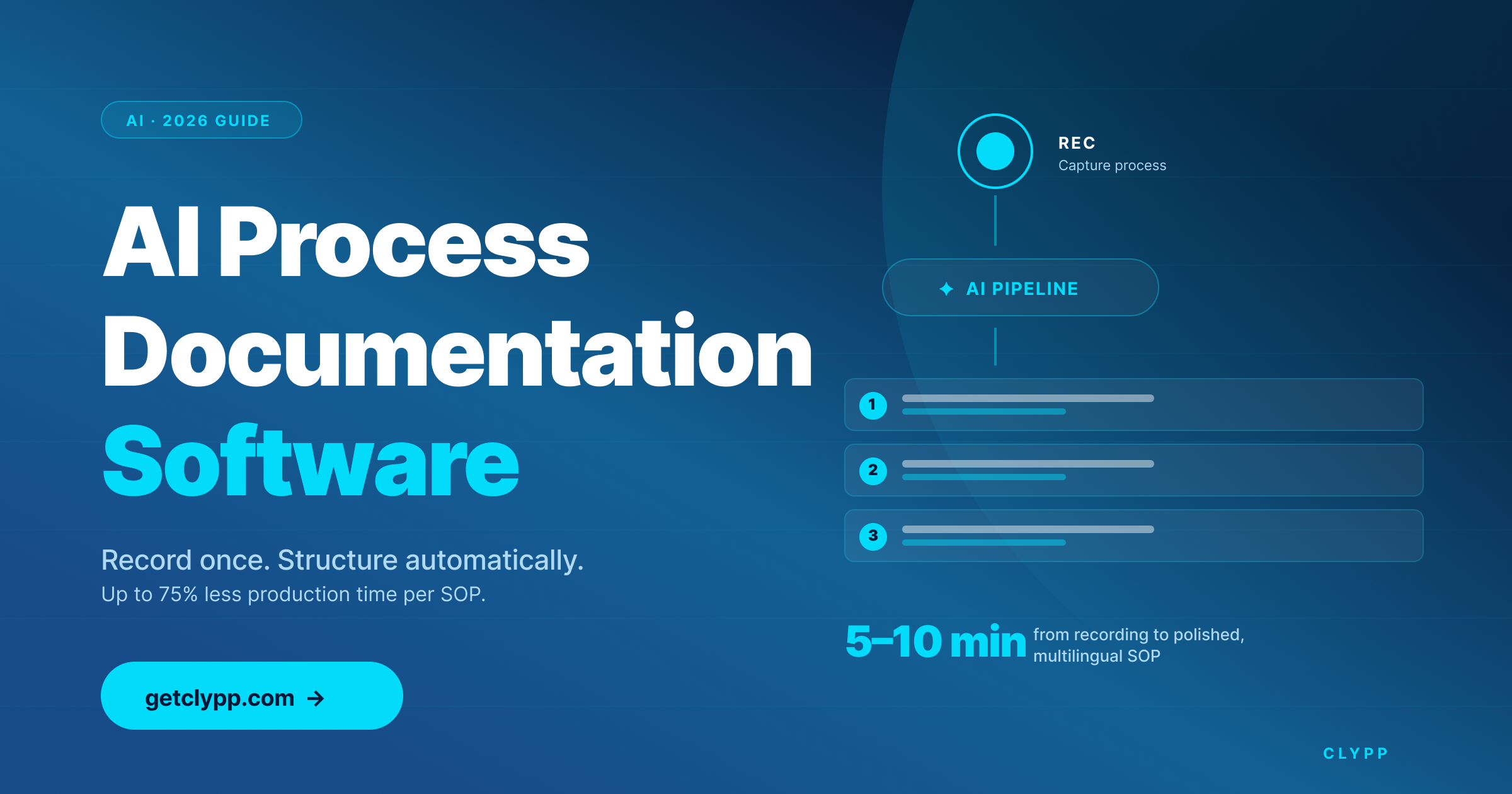
Why teams are replacing written SOPs with AI-generated ones
Most process documentation gets out of date within months of being written. The person who knows the process is busy, the person who needs to write it down is not the person who runs it, and the format — long PDFs and wikis — is the one employees least like to consume.
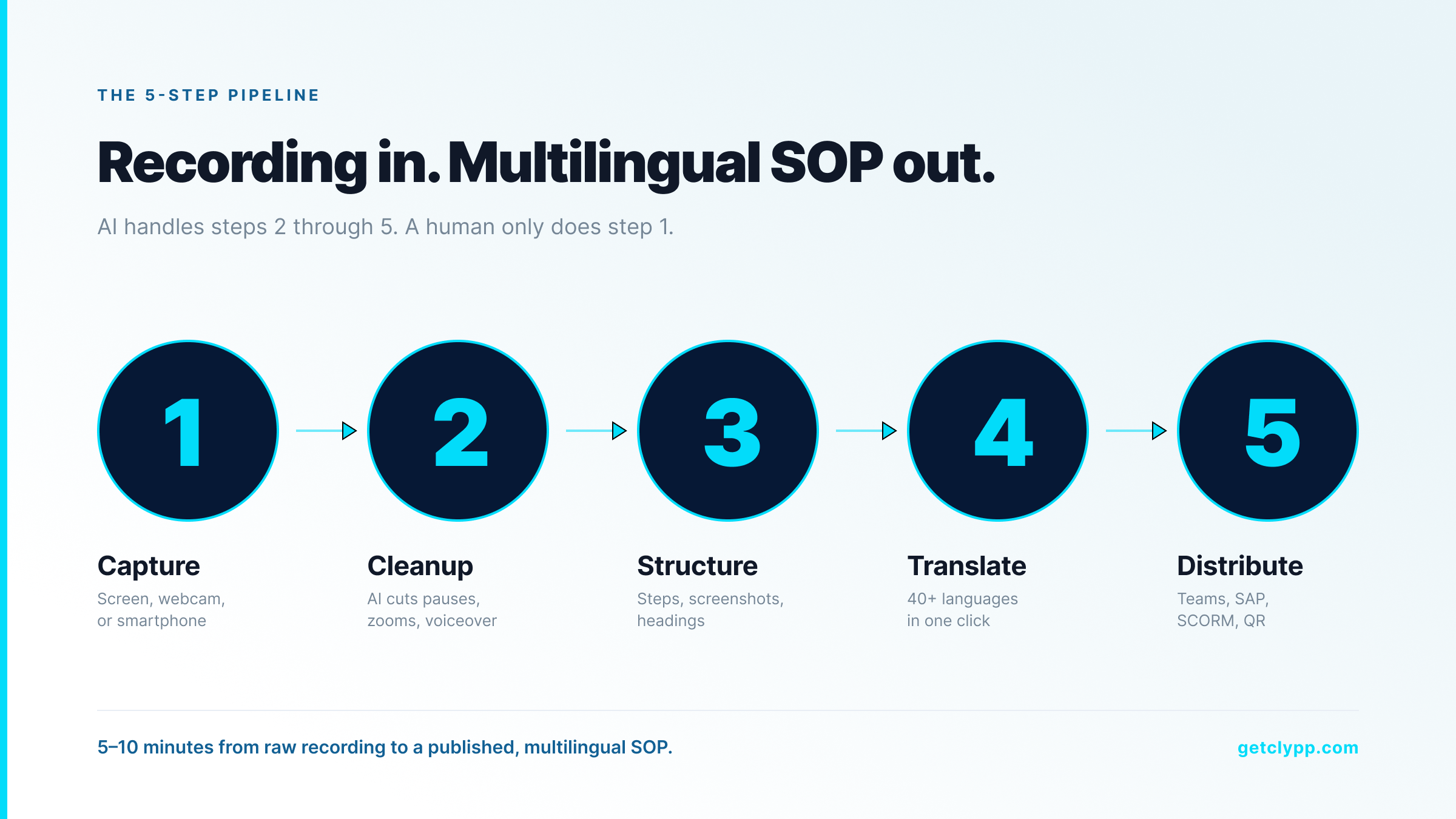
Two numbers explain why AI-generated, video-first documentation has taken over in 2026. According to research compiled by Research.com (2026), learners recall up to 95% of information from video versus 10% from text. And the SAVO Group found that employees forget around 65% of training material within 7 days and roughly 90% within six months — unless it is reinforced in a format they will actually re-watch.
AI process documentation tools attack that problem from both ends. They make capture trivial (record once instead of writing once), and they make consumption sticky (short videos with searchable transcripts and quizzes).
How AI process documentation software actually works
why video beats text
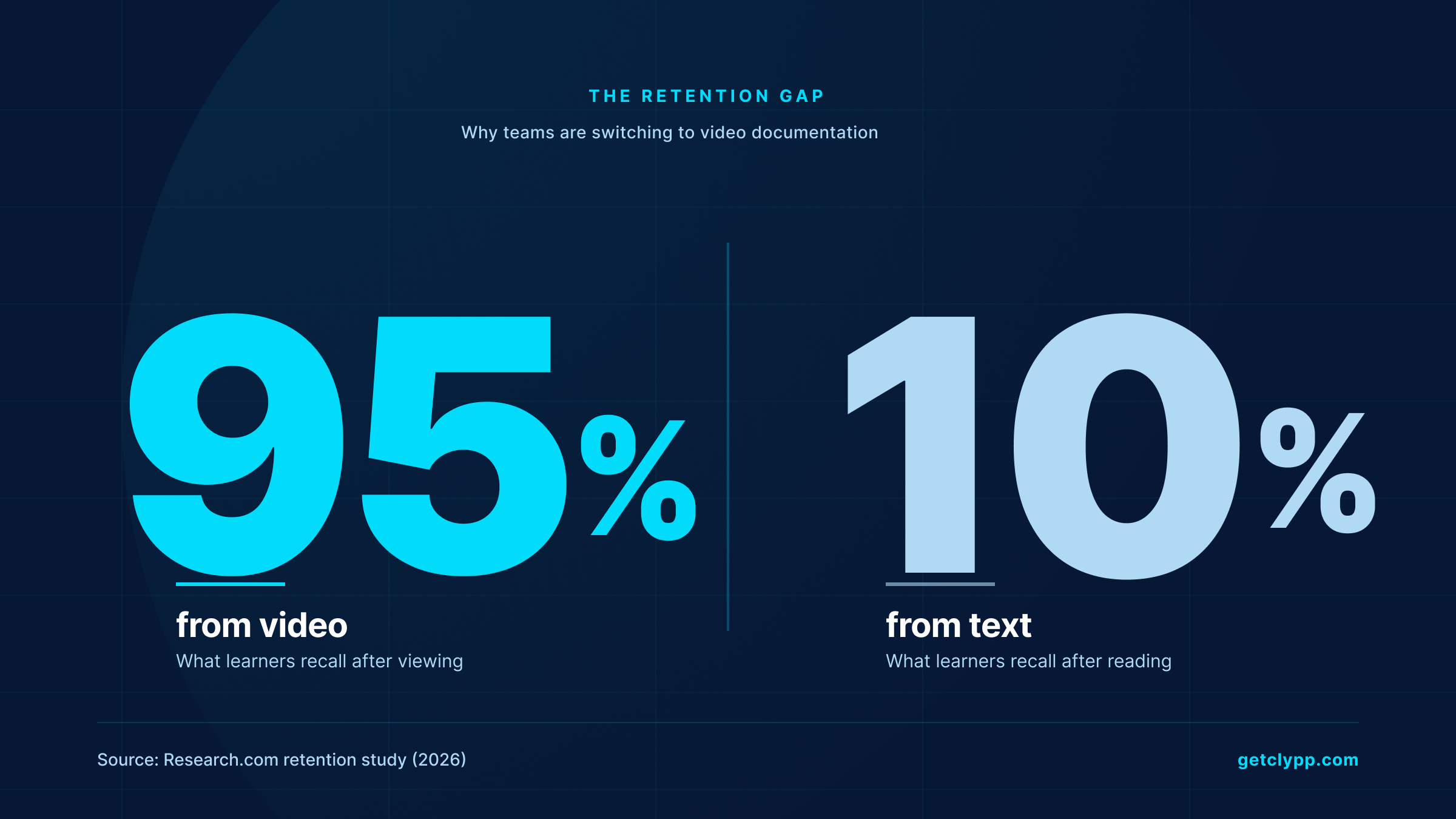
Modern tools follow a five-step pipeline. The capture is the only part the human does.
1. Capture: the user records their screen, webcam or both — or uploads a smartphone clip or a slide deck.
2. AI cleanup: the engine cuts dead air, removes filler words, zooms into the active region, and reframes for the viewer.
3. Structuring: the audio is transcribed, then segmented into discrete steps. Each step gets a heading, a screenshot, and an instruction.
4. Translation and voice-over: titles, descriptions and on-screen text are translated, and a synthetic voice-over is generated in the target languages.
5. Distribution: the output is published as a video, an interactive guide, an MP4, a PDF or a SCORM package — and embedded in MS Teams, an LMS, a wiki, or a QR code on a tablet at a workstation.
What to look for in AI process documentation software (2026 buyer checklist)
Five things separate serious tools from glorified screen recorders.
• AI structuring, not just transcription. Output should be a step-by-step SOP with screenshots and headings — not a wall of subtitles.
• Multilingual support. If your team has even two language groups, automatic voice-over and translation pays for itself in weeks.
• Editing without video skills. Operators and SMEs are not video editors. The tool has to do the cutting, zooming and highlighting itself.
• Quiz, tracking and SCORM export. Documentation is only useful if you can prove people watched and understood it.
• EU hosting, GDPR and ISO 27001. For most European buyers — and increasingly US enterprise — this is a hard requirement, not a nice-to-have.
Where Clypp fits
Clypp is an AI process documentation platform built by Zesavi GmbH in Munich. It is browser-based, ISO 27001-certified, hosted on EU servers, and aligned with GDPR — which is why it is used by industrial customers like Elementar Analysensysteme and Rosenberger Hochfrequenztechnik.
The product specialises in the “capture once, distribute everywhere” model. A recording goes in; a structured SOP, a multilingual video, screenshots, subtitles, a SCORM file and an embeddable Microsoft Teams card come out. Clypp reports a documentation production-time reduction of up to 75% — consistent with how customers describe the shift from waiting for an expert to write a manual to having any operator record one.
Native integrations cover the stack most documentation actually lives in: Microsoft Teams, Atlassian Trello, Jira and SAP. A free workspace is available for small teams with no credit card required.
Clypp vs. typical alternatives
Common use cases for AI process documentation
Software rollouts (SAP, Salesforce, internal tools)
Record one walkthrough of the new procedure. AI generates a step-by-step guide and translates it for each region before go-live, replacing the “train-the-trainer” bottleneck.
Manufacturing work instructions
Capture the proven workflow on a smartphone or GoPro. The same recording becomes a video at the workstation tablet, a PDF for the binder, and a quiz inside an LMS.
Onboarding
Replace 40 pages of new-hire PDFs with 12 short videos. Forrester (2026) reports that customers who complete video-based onboarding programs show 47% higher retention than those given only text — the same effect applies internally.
Customer support and self-service
Convert the top 20 support tickets into 90-second how-to videos. Studies on video-based support consistently report 20–30% ticket deflection.
The ROI math (worked example)
Take a team of 200 employees. Internal time studies suggest each employee spends about 20% of their working week looking for or recreating information they already know exists. If video-based documentation reclaims even one hour per employee per week, that is roughly 10,400 hours a year — at a fully-loaded rate of €40 per hour, around €416,000 in recovered productive time. The savings:cost ratio is what makes this category a no-brainer once a team crosses ~50 employees.
How to evaluate an AI process documentation tool in one afternoon
1. Pick a real process, not a demo. Something painful, ideally a software walkthrough that has changed in the last 6 months.
2. Record it once on each tool you are evaluating. Time the capture.
3. Score the output: would a new hire actually follow this without help?
4. Translate to a second language. Listen to the voice-over. Read the on-screen text.
5. Embed it in MS Teams or your LMS. Confirm permissions, SSO and tracking work.
6. Then look at price.
Frequently asked questions
Is AI process documentation software the same as a screen recorder?
No. A screen recorder produces a raw video file. AI process documentation software produces a structured guide — transcript, segmented steps, screenshots, voice-over, translations, and an SOP — from that recording. The recording is the input, not the deliverable.
Do non-technical employees actually use these tools?
Yes. The whole point of the category is to push documentation creation from a small team of technical writers down to whoever actually runs the process. Clypp customers describe employees creating videos in minutes without any training, which is the bar a tool has to clear to scale.
What about data security and EU hosting?
For European buyers, the credible options are tools with EU data residency, ISO 27001 certification, and GDPR-aligned processing. Clypp meets all three; many US-built alternatives store data outside the EU and require contractual workarounds.
Can it replace our LMS?
It is not an LMS replacement, but it is the content engine that feeds one. Most platforms — Clypp included — export SCORM and embed in existing LMS, Teams, Confluence, SharePoint or a wiki.
How long does it take to produce one finished SOP?
For a 5-minute process, expect 5–10 minutes from start of recording to a published, multilingual guide. The work that used to take 2–3 hours of writing and screenshotting is mostly absorbed by the AI.
Bottom line
AI process documentation software is no longer a “maybe in 2027” category. The retention numbers (95% for video vs. 10% for text), the production-time savings (up to 75% reported by Clypp users), and the compliance reality (EU hosting + ISO 27001) have moved it into the same must-have bucket as a help desk or an LMS.
If you want to see how it feels on your own process, you can start a free Clypp workspace at getclypp.com — no credit card, full AI features included.

