
What is a video process documentation tool?
A video process documentation tool is software that records a workflow on screen, webcam or mobile, and uses AI to convert that recording into structured documentation, a polished video plus a searchable, step-by-step SOP with screenshots, narration, subtitles and translations. It replaces the slow, error-prone cycle of writing manuals after the fact, and it produces output employees actually re-watch. Reported time savings vs. written documentation are typically 60–75%.
Why video, and why now
Three things changed in the last 24 months. First, AI got good enough to take a raw recording and produce a clean, structured guide automatically, no editor required. Second, hybrid and shop-floor teams stopped tolerating 40-page PDFs that nobody reads. Third, the data on retention is no longer ignorable: 83% of people prefer learning from video over text or audio (TechSmith 2026), and learners recall up to 95% of video content versus 10% of text (Research.com 2026).
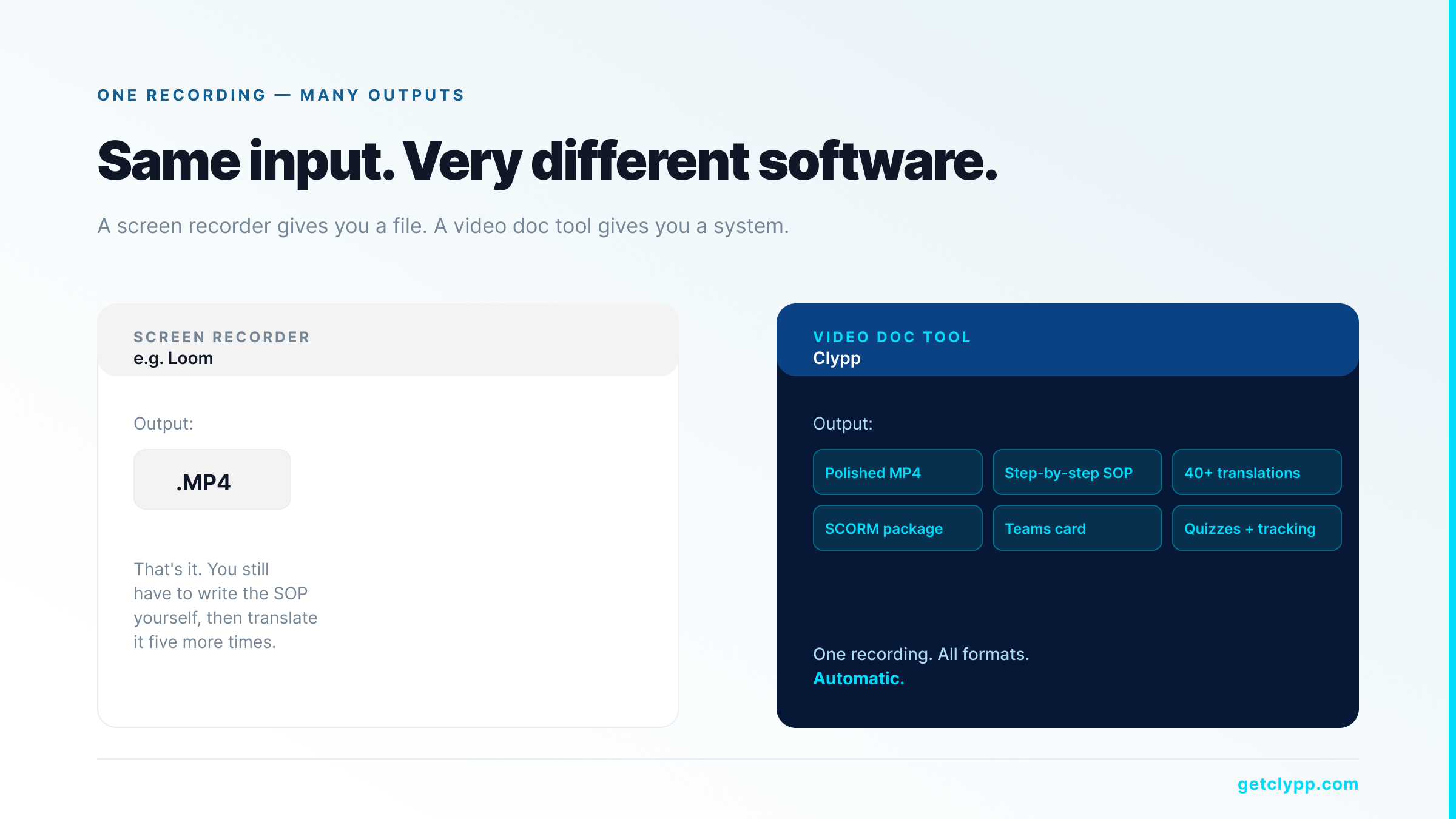
The result is a category called video process documentation, distinct from generic screen recorders (which give you a video file and nothing else) and from text-first SOP tools (which give you a written guide but lose the demo).
How a video process documentation tool works (5-step pipeline)
| Step | What it does | Who does it | Time | Output |
|---|---|---|---|---|
| 1Capture | Record screen, webcam or smartphone | Subject-matter expert | 3–5 min | Raw video |
| 2Enhance | AI cuts pauses, zooms, generates voice-over | AI | <1 min | Polished video |
| 3Document | Auto-generate steps, screenshots, instructions | AI | <1 min | Structured SOP |
| 4Translate | Subtitles + voice-over in 100+ languages | AI · 1 click | <1 min | Multilingual guide |
| 5Distribute | Embed in Teams, share via QR, SCORM export | Author | <1 min | Live training asset |
The leverage is in steps 2–4. The human only does step 1. Everything else (cuts, zooms, voice-over, segmented SOP, multilingual translation) happens automatically.
When video documentation beats written documentation
• Software workflows that change frequently. Re-recording is faster than re-writing.
• Manual or physical processes (assembly, maintenance, lab procedures) where text cannot show motion or position.
• Multilingual sites. Translating a recording in one click is faster than maintaining six PDFs in six languages.
• Onboarding. New hires consume 12 short videos in less time than they spend skimming a 40-page handbook.
• Customer-facing how-tos. Customers complete video onboarding programs at higher rates and stay longer (47% higher retention reported by Forrester, 2026).
When written documentation is still better
• Long, branching reference material (compliance manuals, legal text).
• Anything that needs to be searched word-by-word in pure text by a regulator. Most video tools mitigate this with full-text transcripts, but a written master document is still expected.
• Material that has to be machine-processed (e.g. fed into a contract management system).
In practice the answer is hybrid: video is the primary asset, with the auto-generated SOP and transcript serving as the searchable text layer.
What to look for in a video process documentation tool
1. AI-generated SOP, not just a transcript
Anything can produce a transcript. The deliverable you need is a segmented step-by-step guide: each step with its own heading, screenshot and instruction. Without that, your team gets a wall of subtitles.
2. Editing without video skills
Operators on a shop floor are not video editors. The tool has to handle the cuts, zooms, highlights and voice-over by itself. If the workflow requires a “let me just open Premiere quickly,” adoption will stall.
3. Multilingual at one click
Auto-translated subtitles are table stakes. Auto-translated voice-over and on-screen text are the actual differentiator. A real production team has plants, partners and customers in 5–10 languages.
4. Distribution that meets people where they work
Microsoft Teams. SAP. Jira. Confluence. SharePoint. QR codes on tablets at workstations. SCORM packages for the LMS. If the tool only exports MP4, the documentation never gets watched.
5. EU hosting, ISO 27001 and GDPR alignment
For European buyers this is a hard requirement. For US enterprise buyers it is increasingly a procurement filter as well. Verify hosting region in writing, not all vendors that “support GDPR” actually host data inside the EU.
6. Tracking and quizzes
If you cannot prove the team watched the video, you cannot use it for compliance training. Look for view tracking, completion data, drop-off heatmaps and quiz support with results stored in the tool or pushed to your LMS.
Where Clypp fits
Clypp is a video process documentation tool built by Zesavi GmbH in Munich. It was designed for European mid-market and enterprise customers, which is why it ships ISO 27001-certified, EU-hosted, GDPR-aligned by default, and used in regulated industries by customers like Elementar Analysensysteme and Rosenberger Hochfrequenztechnik.
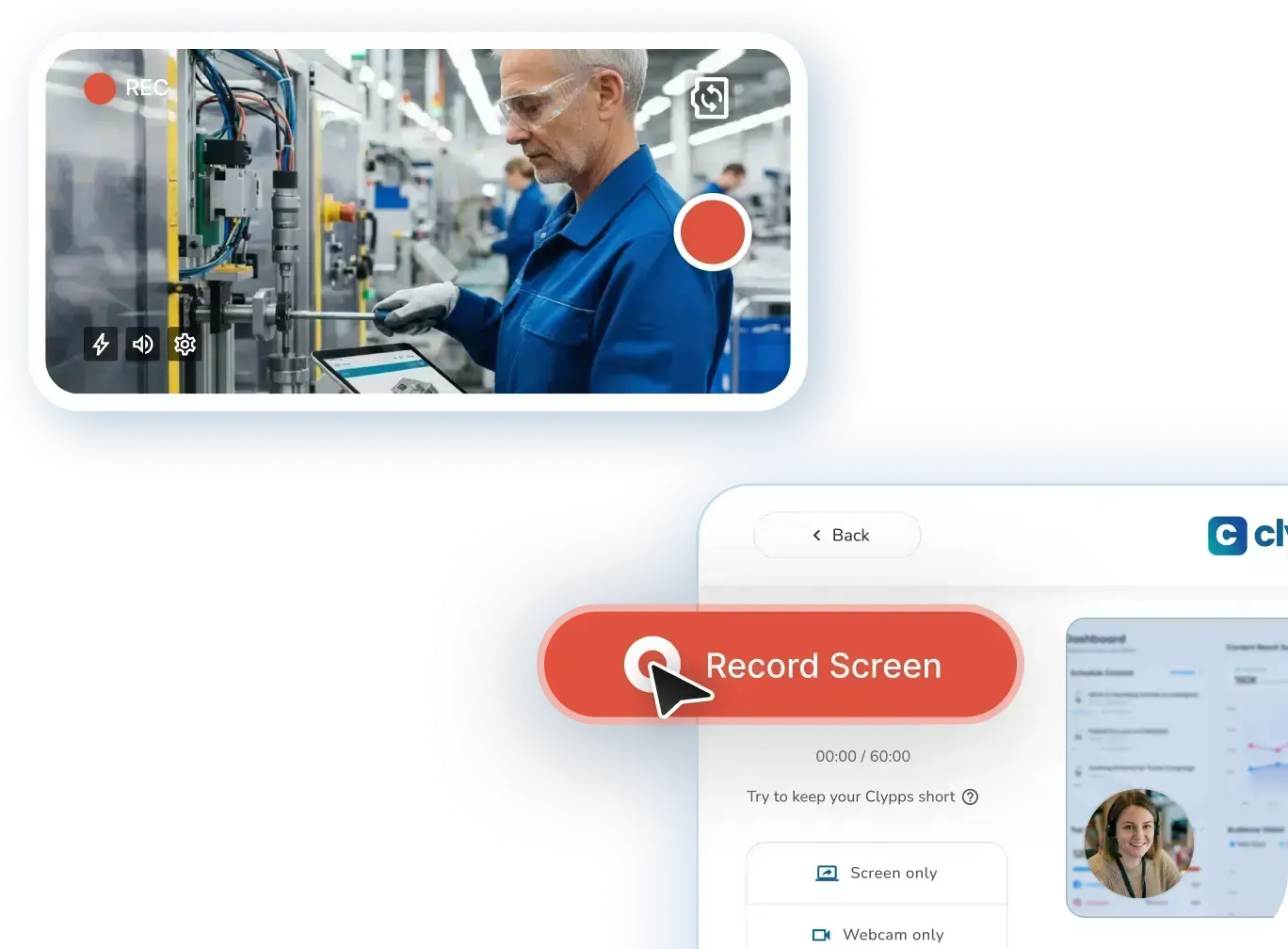
The product is built around the five-step capture-to-distribution pipeline above. A screen, webcam or smartphone recording goes in; out comes a polished video, a structured SOP with screenshots, multilingual voice-over and subtitles, an embeddable Teams card, an MP4, a PDF, or a SCORM package. Production time is reduced by up to 75% compared to writing documentation manually.
Native integrations cover Microsoft Teams, Atlassian Trello, Jira and SAP, plus universal embed codes and links for everything else. A free workspace is available for small teams without a credit card.
ROI example: replacing a 40-page onboarding manual
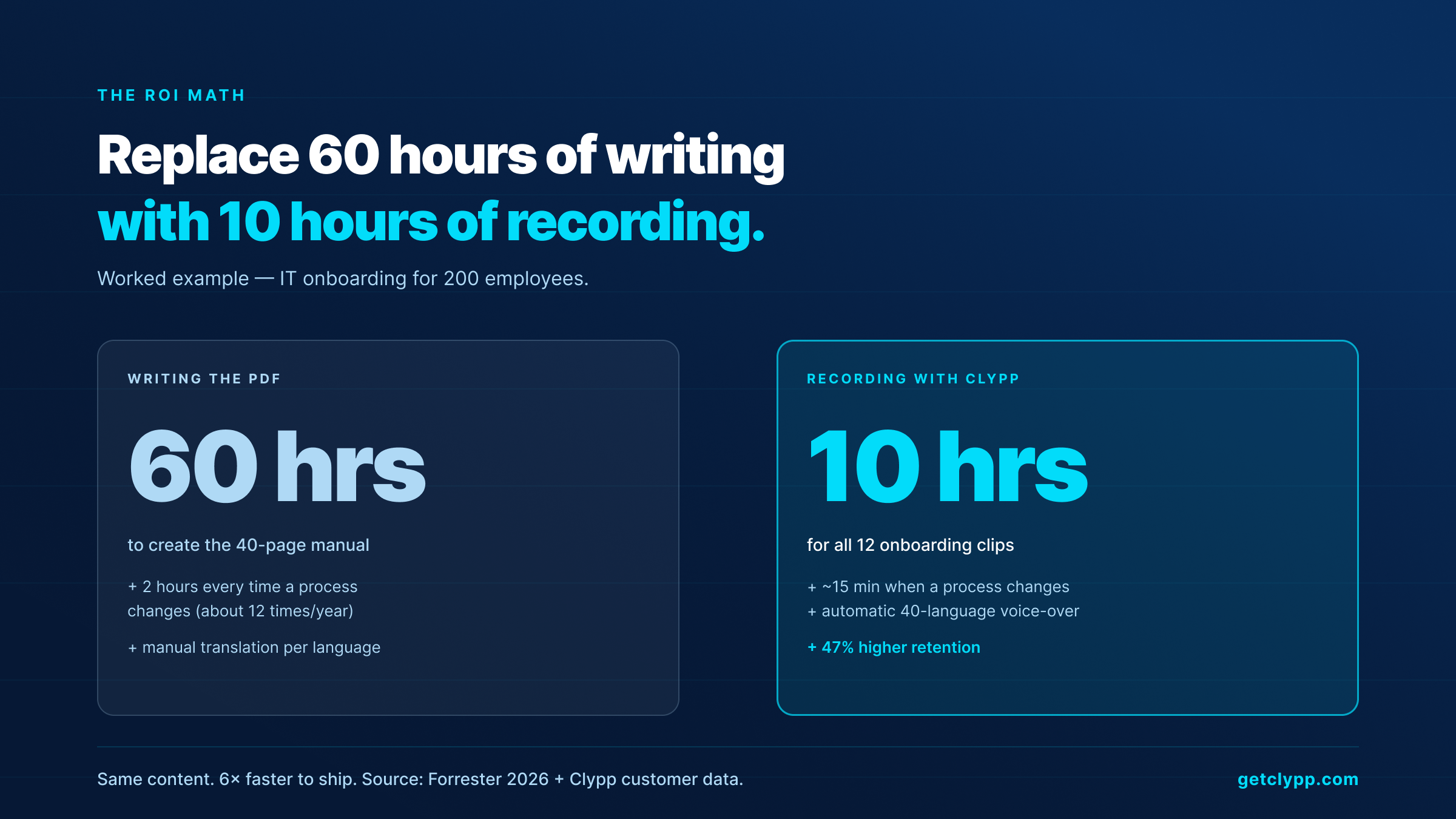
A 200-person company replaces a 40-page IT onboarding PDF with 12 short Clypps (averaging 90 seconds each). Three things change.
1. Creation time. Writing the original PDF took roughly 60 hours. Re-recording the 12 videos takes ~10 hours including review.
2. Update time. Re-shooting one Clypp when the tool changes takes ~15 minutes. Re-writing the equivalent PDF section took ~2 hours.
3. Consumption. New-hire ramp-up time drops because employees actually finish 90-second videos. Customers in similar deployments report 47% higher retention with video onboarding (Forrester, 2026).
Even ignoring the consumption gain, the creation-and-maintenance side alone justifies the tool within the first quarter.
Frequently asked questions
Is a video process documentation tool the same as Loom?
No. Loom is a screen recorder. It produces a video file. A video process documentation tool produces a structured guide on top of the video: AI-generated SOP, segmented steps, screenshots, translations, voice-over, quizzes and tracking. The video is the input.
Do I need video editing skills to use Clypp?
No. The whole product is designed for non-editors. AI does the cuts, zooms, voice-over and structuring. Customers describe employees creating professional-looking videos in minutes without prior training.
How long are the videos supposed to be?
Engagement falls off sharply after about six minutes. Most teams aim for 60–180 seconds per process step. For a complex workflow, break it into a series rather than one long file.
Does it work with our LMS?
Yes. Clypp exports SCORM, embeds in MS Teams, and provides universal links. Most teams keep their LMS and use the video tool as the upstream content engine.
Can shop-floor workers use this on a tablet?
Yes. Clypp runs in any modern browser and has native iOS and Android apps. A common setup is QR codes at the workstation that open the relevant video on a tablet.
How does Clypp handle data residency for European customers?
Clypp hosts exclusively on EU servers, holds ISO 27001 certification and is fully aligned with GDPR. This is why it is the default choice for German, Austrian and Swiss buyers with strict data-residency requirements.
How does Clypp handle pricing for European customers?
Clypp offers a free workspace for small teams without a credit card, plus paid plans for larger deployments and enterprise pricing for organisations with custom security and SSO requirements. The latest pricing details are available at getclypp.com/pricing.
Bottom line
A video process documentation tool is not a screen recorder with extras. It is a different product category, one that captures a workflow once, turns it into a structured SOP, translates it for the rest of the company, and distributes it where the work actually happens. The retention gains over written documentation are well-documented, the production-time savings are 60–75%, and the buyer checklist is short: AI structuring, no-skill editing, multilingual, distribution into the existing stack, and EU-grade security.
Record once, publish everywhere.
The value of a video documentation tool is not in the player, it is in the export: the same recording has to work as a wiki guide, as mandatory training in the LMS and as a QR code on the machine. That is what Clypp is built around.
- Video, PDF and SCORM from one recording: with no rework.
- Embeds in Teams, an LMS and your wiki: where the work already happens.
- Over 100 languages and face blurring: for workforces and works councils.
Clypp is a software platform from Germany for video work instructions. In use at RATIONAL, Rosenberger and Elementar, among others.

